
HVAC / Home Services
Concept ProjectHVAC Website ConceptHearthline Heating & Air
Hearthline Heating & Air is a fictional HVAC website concept exploring how a home-service business can present its services clearly, guide visitors through their options, and make the next step easy to understand.
I designed the experience around homeowner questions: what service do I need, what should I expect, and how do I request help? The result combines a warm visual identity, responsive service pages, seasonal guidance, and an interactive demonstration request form.
An independent website concept for a fictional business, created to demonstrate my design and development approach. This is not a commissioned client project or an operating business.
- Project type
- Website concept for a fictional business
- Industry
- HVAC / Home Services
- Fictional business
- Hearthline Heating & Air
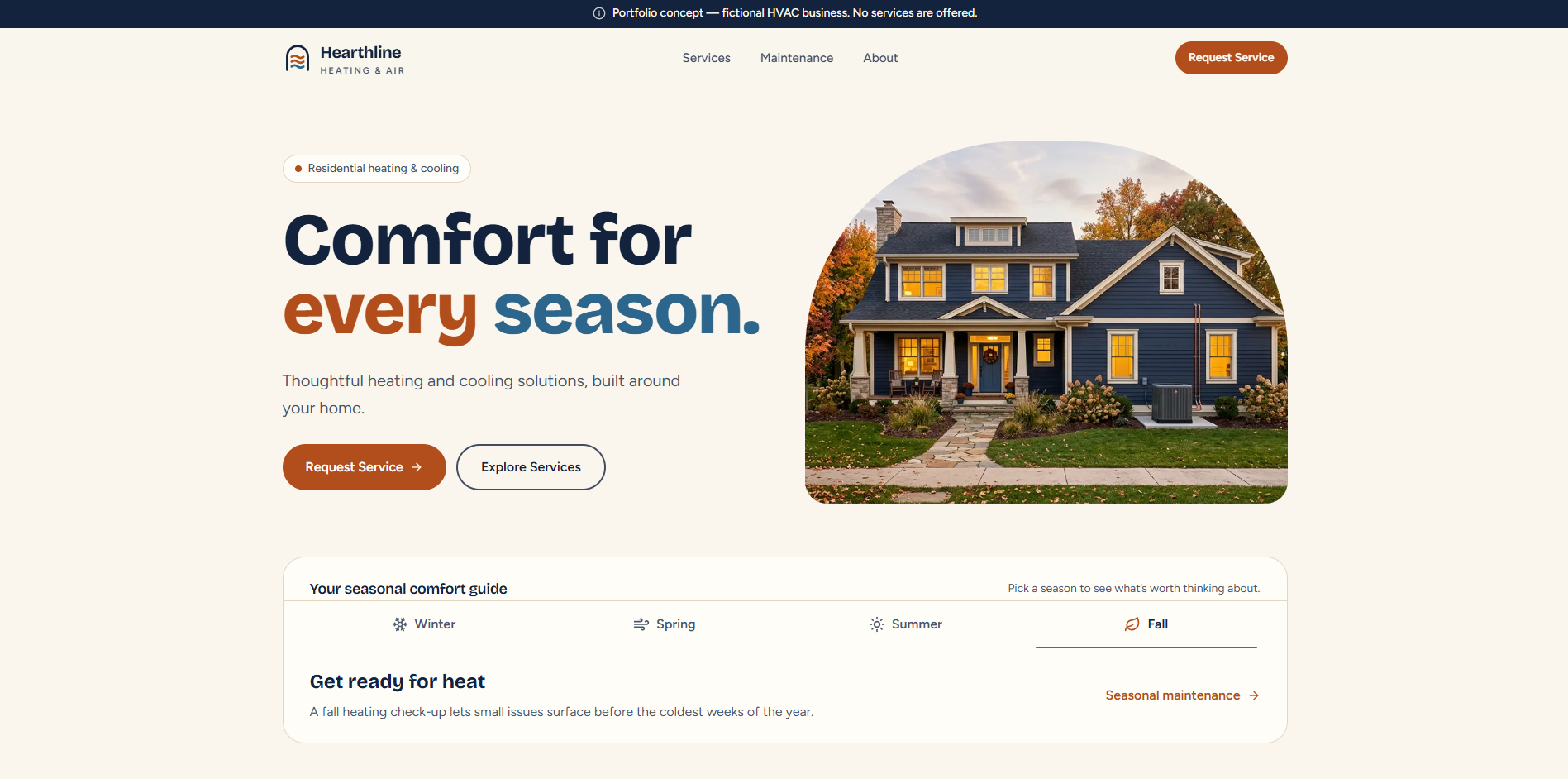
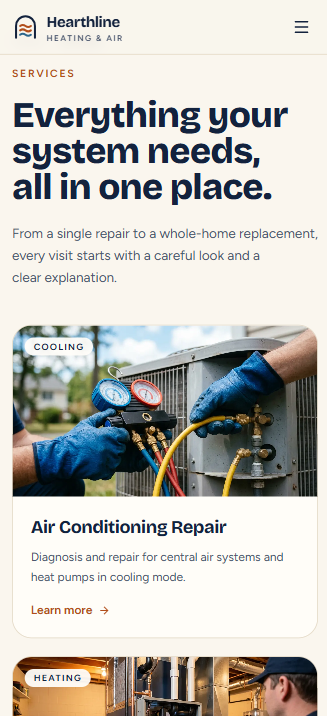
Audience and business needs
Who it’s for and what they need.
Homeowners exploring heating repairs, cooling repairs, system replacement, maintenance, and indoor-air-quality services.
- Understand available services without technical jargon.
- Find a relevant next step quickly.
- Compare repair, replacement, and maintenance information.
- Browse comfortably on mobile.
- Understand what information a service request requires.
These are design objectives, not measured business results.
Visual direction
Design decisions you can see.
Choices made in the layout, color, type, and imagery, and the effect each one is meant to have.
- Warm cream backgrounds and navy typography give the site a calm, homey base with strong text contrast.
- Rust-orange and blue accents reference heating and cooling, and repeat across headings, icons, and actions.
- Large, readable headings state each section’s point in plain language before any detail.
- Rounded cards and an arched hero image soften the layout and echo the shape of a home.
- Residential and equipment imagery shows the kind of homes and systems the business works on.
- Primary actions use solid rust-orange buttons, while secondary actions use outlined buttons, so the main next step is always clear.
Intended effect
- Feel approachable and residential rather than industrial or high-pressure.
- Make every page easy to scan, with one clear next step at a time.
- Keep heating and cooling visually distinct without making the site feel busy.
These are goals, not tested or measured results.
Homepage structure
The complete homepage.
The homepage moves from introduction to reassurance to action. Each section answers the next question a homeowner is likely to have, then points toward a service request.
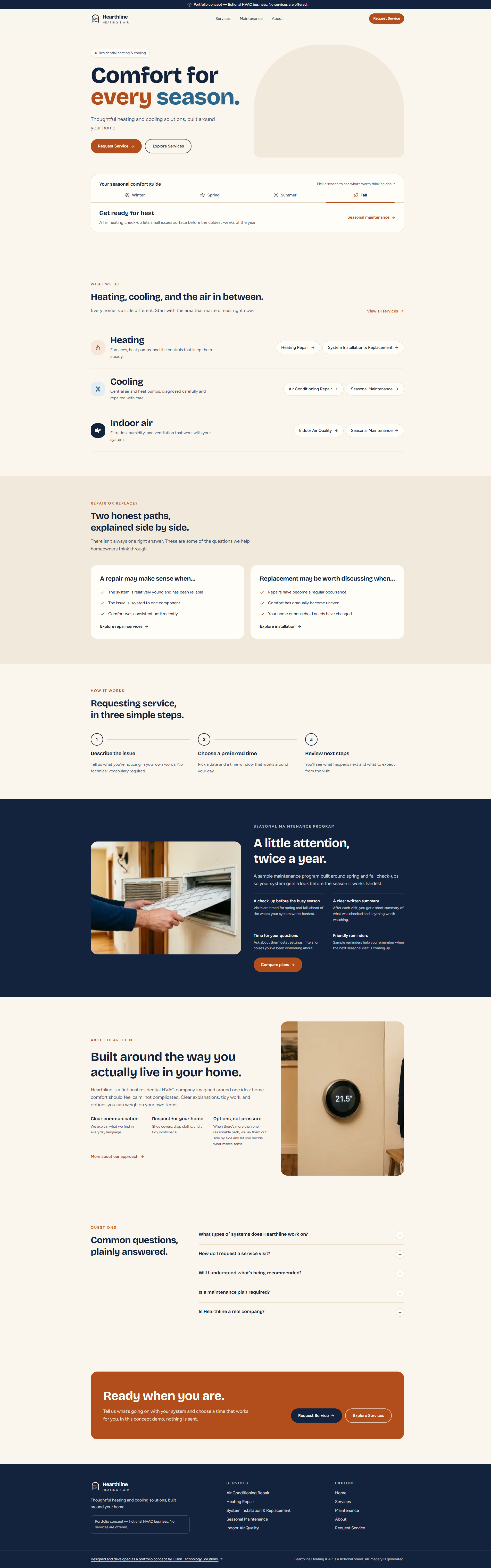
The full homepage, top to bottom. Open the full screenshot to read each section at a larger size.
- 01Brand introduction and main actions
- 02Seasonal comfort guide
- 03Heating, cooling, and indoor-air service groups
- 04Repair-versus-replacement guidance
- 05Three-step request explanation
- 06Maintenance preview
- 07Business approach
- 08FAQs
- 09Final call to action
Responsive service discovery
Services that are easy to browse on a phone.
The mobile Services page, shown above, stacks each service into its own card. The site includes a services overview and reusable individual service routes, so every card leads to a page with more detail.
- Stacked service cards that read top to bottom on small screens
- Clear category labels, such as Cooling and Heating, on each card
- Short, readable descriptions in plain language
- Prominent links to individual service pages
Service requests
A clear service-request experience.
The request page explains the process before asking for anything, then keeps the form short. Visitors can see what is required and what happens next before they start typing.
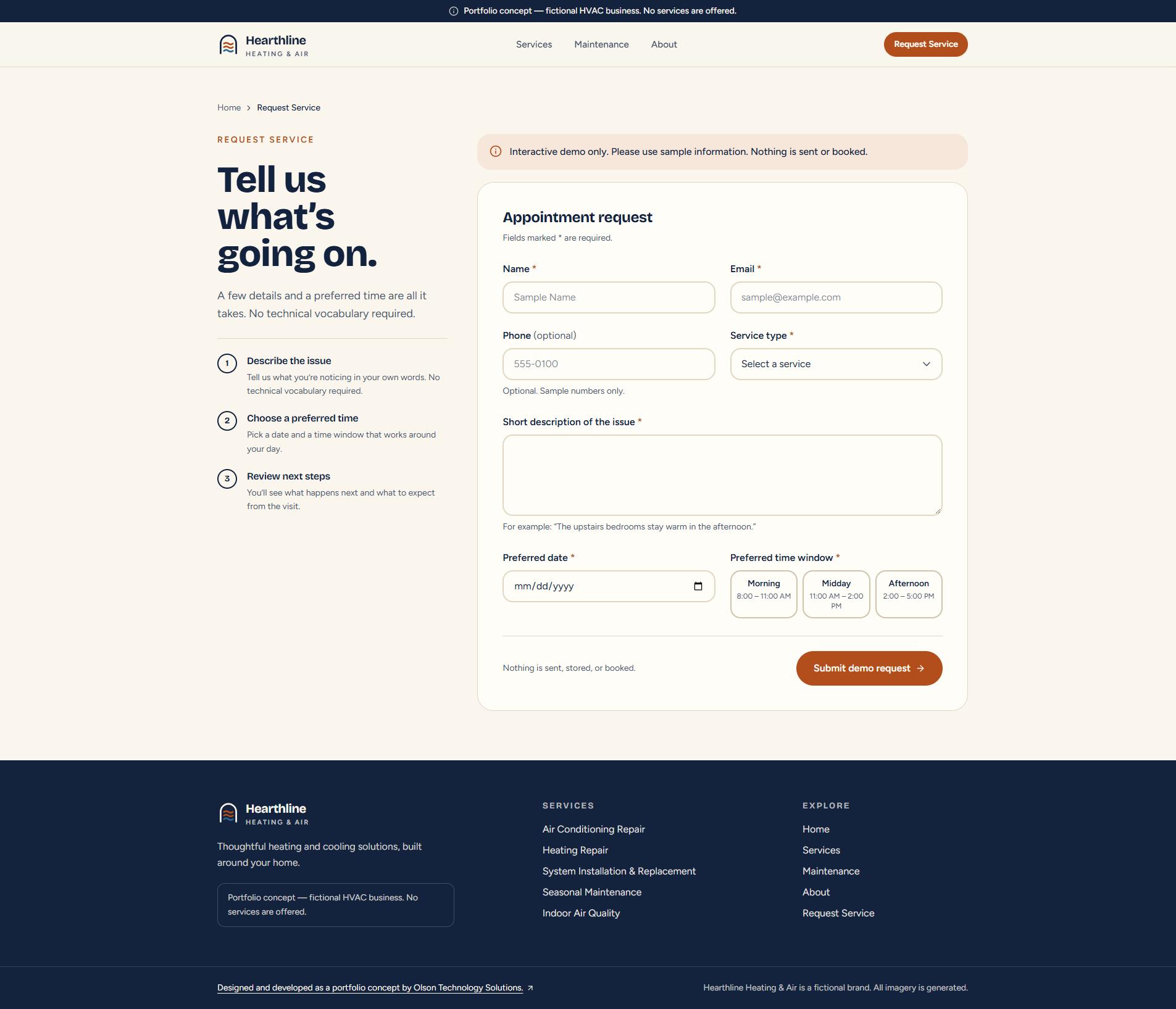
A three-step explanation sits beside the form, and required fields are marked. The form validates entries in the browser for demonstration only; nothing is submitted or booked.
Features demonstrated
Working interactions, built into the concept.
A homepage, services overview, individual service pages, maintenance plans, an about page, and a service-request page, designed for homeowners deciding what kind of help they need.
- Responsive homepage, services overview, individual service pages, Maintenance, About, and Contact pages.
- Seasonal tabs that change the displayed guidance, including keyboard navigation.
- Expandable FAQ content.
- Maintenance-plan comparison with monthly and annual display selection and illustrative pricing.
- Demonstration enrollment dialog.
- Interactive request-form demonstration with in-browser validation; nothing is submitted or booked.
- Required-field and format feedback, preferred-date validation, an error summary, and a demonstration completion state.
Interactive features run in the browser for demonstration. They do not connect to live business systems.
Technical approach
Built with
- Application
- Next.js 16, React 19, TypeScript
- Styling
- Tailwind CSS 4
- Content
- Reusable components and structured service content
- Interaction
- Client-side state for tabs, comparisons, dialogs, and form feedback
- Workflow
- GitHub source management and a Vercel-hosted demo
Possible production additions
Ideas a production version could include. None of these are built into this concept.
- Delivery of inquiries to a business inbox or CRM
- Appointment scheduling integration
- Content editing tools
- Maintenance enrollment and payment integration